


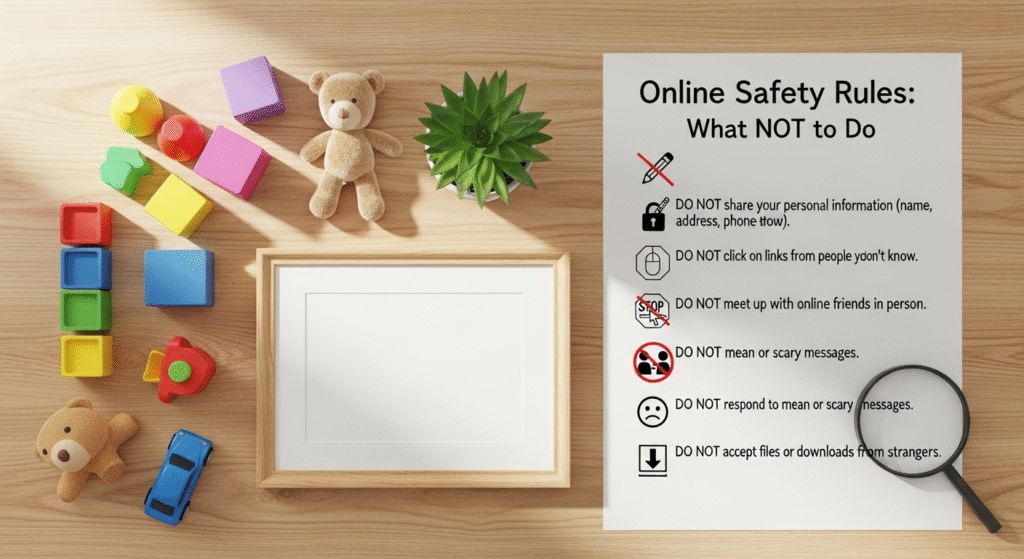
Don’t Share Too Much Personal Information
One of the most fundamental rules of internet safety is to exercise extreme caution about the personal information you share online. In a world where data is constantly being collected, aggregated, and potentially exploited, understanding the boundaries of appropriate disclosure is paramount. Sharing too much can open the door to a myriad of threats, from identity theft and financial fraud to stalking and various forms of social engineering.
What constitutes “too much” personal information? It’s more than just your full name and address. It includes your exact birthdate, phone number, workplace details, school names (especially for children), specific travel plans, banking information, social security numbers, and even seemingly innocuous details like your pet’s name or your mother’s maiden name – common security question answers. While some platforms require basic information to function, be discerning about anything beyond the absolute minimum.
- Don’t post your real-time location. Geotagging photos or checking into locations as you arrive broadcast your whereabouts to the world. This can make you a target for physical theft (if criminals know your home is empty) or stalking. Always consider turning off location services for social media apps or only sharing location after you’ve left a place. This ties directly into broader Home safety tips for every family, as revealing when your home is vacant can invite trouble.
- Don’t share sensitive documents or identification. Never upload images of your passport, driver’s license, birth certificate, or any other official document online, even in private messages, unless you are absolutely certain of the recipient’s identity and the security of the platform. These documents are goldmines for identity thieves.
- Don’t overshare on social media profiles. Review your profiles across all platforms. Are your privacy settings robust? Is your full birthdate visible? Do you list your exact home address or phone number? Remove any details that could be used to uniquely identify you or your family members. Be particularly cautious with children’s information; avoid posting their full names, school uniforms, or details that could pinpoint their daily routines.
- Don’t participate in “get to know me” quizzes that ask for personal details. While they seem harmless, many online quizzes are designed to gather data points that can be used to guess your security answers or build a profile for targeted scams. Be wary of questions like “What was your first car?” or “What’s your favorite childhood pet’s name?”
- Don’t publicly announce vacation plans. While it’s exciting to share your adventures, announcing that your home will be empty for an extended period is an open invitation for burglars. Share your vacation photos after you’ve returned, or only with a very small, trusted circle of friends.
The goal is to create a digital persona that is secure yet allows you to connect. Teach your children these principles early, emphasizing that their online identity is a valuable asset to protect. Understanding what not to share online is the first line of defense in building a secure digital life for your family.
Don’t Engage with Strangers or Unverified Sources

The internet’s vastness means you’ll encounter countless individuals and sources of information. While many online interactions are positive, the anonymity of the digital world also provides a breeding ground for malicious actors and misinformation. Engaging unwisely with strangers or unverified content can expose you and your family to risks ranging from catfishing and online predation to radicalization and financial exploitation.
The Dangers of Online Strangers:
- Don’t accept friend requests or messages from unknown people. On social media platforms, a request from someone you don’t know in real life should be met with skepticism. Profile pictures and names can be faked. Scammers often create elaborate fake profiles to gain trust, gather information, or initiate romance scams. If you don’t recognize them, it’s safer to decline.
- Don’t believe everything you read or see online. The internet is rife with misinformation, fake news, and propaganda. Critical thinking is a vital skill for navigating this landscape. Before sharing or believing information, especially if it seems sensational or emotionally charged, consider the source. Is it a reputable news organization? Does it have a clear agenda? Are there other sources corroborating the information? Teach your children to question sources, too; this skill is crucial for their development as informed citizens.
- Don’t meet online acquaintances in person without extreme caution. For adults, if an online relationship progresses to a desire to meet, always do so in a public place, inform a trusted friend or family member of your plans, and arrange your own transportation. For children and teens, this rule is absolute: never meet an online stranger in person without parental permission and supervision. Predators often groom young people online, building trust before attempting to meet. Parents must be vigilant and have open conversations with their children about this danger.
- Don’t share intimate details or photos with online strangers. This is particularly critical for younger users. Once a photo or personal story is shared, it can be saved, copied, and distributed without your consent, potentially leading to blackmail or reputational damage. The internet has a long memory.
- Don’t join groups or forums that promote hate, violence, or illegal activities. While free speech is important, associating with groups that espouse harmful ideologies can expose you to dangerous content, pressure to conform, or even legal repercussions. Be mindful of the communities you engage with and ensure they align with your values and promote a safe, constructive environment.
For parents, this section underlines the need for ongoing dialogue with children about their online interactions. Regularly discuss who they are talking to, what they are sharing, and the importance of reporting any uncomfortable or suspicious encounters. Just as we teach children not to talk to strangers in real life, the same principles apply, with even greater complexity, in the digital realm. Fostering a critical and cautious approach to online interactions is a cornerstone of comprehensive internet safety for every family member in 2026.
Don’t Click Suspicious Links or Download Unknown Files
Understanding the Threats:
- Phishing: These are deceptive attempts to trick you into revealing sensitive information, usually by masquerading as a trustworthy entity (e.g., your bank, a government agency, a popular online service). Phishing emails or messages often contain links that lead to fake websites designed to capture your login credentials or other personal data.
- Malware: This umbrella term covers any software designed to cause damage to a computer, server, or computer network, or to steal data. It can range from viruses that replicate and spread, to ransomware that encrypts your files and demands payment, to spyware that secretly monitors your activity.
Specific “Don’ts” to Protect Yourself:
- Don’t click on links in unexpected emails or messages. If you receive an email or text message from an unknown sender, or even a seemingly legitimate one that looks suspicious (e.g., unusual grammar, generic greetings, urgent tone), do not click any links. Instead, if it purports to be from a service you use, go directly to that service’s official website by typing the URL into your browser, rather than clicking a link.
- Don’t download software or files from untrusted sources. Only download applications and files from official app stores (e.g., Apple App Store, Google Play Store), reputable software vendors, or well-known, trusted websites. Third-party download sites often bundle legitimate software with unwanted adware or malware.
- Don’t ignore browser or antivirus warnings. Your web browser and antivirus software are designed to protect you. If they flag a website as unsafe or a download as malicious, heed the warning. Do not proceed to the site or open the file.
- Don’t open unsolicited attachments. Be extremely cautious of email attachments, even if they appear to come from someone you know. Their account might have been compromised. If an attachment seems out of character or unexpected, verify with the sender through a different communication channel (e.g., a phone call) before opening it.
- Don’t fall for “free” offers that require downloads. Many online scams entice users with promises of free movies, games, or software that require a download. These are often fronts for malware distribution. Remember the adage: if it’s too good to be true, it probably is.
- Don’t use outdated software or operating systems. Keep your operating system, web browser, and all applications updated. Software updates frequently include critical security patches that protect against newly discovered vulnerabilities that hackers exploit. Neglecting these updates leaves your devices exposed.
Educating every family member, especially children and teens, about these dangers is vital. Teach them to “hover” over links with their mouse to see the actual URL before clicking, and to recognize the red flags of phishing attempts. A healthy dose of skepticism is your best friend in preventing malware infections and data breaches, ensuring your digital environment remains secure in 2026.
Don’t Neglect Your Privacy Settings and Security Updates
In the rapidly evolving digital landscape of 2026, maintaining online safety is an ongoing commitment, not a one-time setup. Two critical areas that users frequently overlook, often to their detriment, are privacy settings and regular security updates. Neglecting these aspects leaves you vulnerable to data breaches, identity theft, and unauthorized access to your personal information.
Understanding Privacy Settings:
Every social media platform, online service, and even many apps come with a suite of privacy settings that dictate who can see your information, who can contact you, and how your data is used. Default settings are often configured to be more open, prioritizing ease of use and data collection over your privacy.
- Don’t leave privacy settings on default. After creating a new account on any platform (social media, email, banking, e-commerce), immediately navigate to the privacy and security settings. Review each option carefully. Decide who can see your posts, photos, contact information, and location data. Limit public visibility as much as possible, especially for children’s accounts. Regular audits (e.g., quarterly) of these settings are recommended, as platforms frequently update their interfaces and default options.
- Don’t over-share with third-party apps. Many apps request access to your social media profiles, contacts, or other personal data. Be selective about which apps you grant permission to. Always read the permissions an app requests and only allow access if it’s absolutely necessary for the app’s functionality and you trust the developer. Revoke access for apps you no longer use.
- Don’t use public Wi-Fi without caution. Public Wi-Fi networks (in cafes, airports, hotels) are often unsecured, making it easy for cybercriminals to intercept your data. Avoid conducting sensitive activities like online banking or shopping when connected to public Wi-Fi. If you must use it, consider using a Virtual Private Network (VPN) to encrypt your internet traffic.
Understanding Security Updates:
Software vulnerabilities are constantly being discovered by security researchers and, unfortunately, by malicious hackers. Software developers respond by issuing patches and updates to fix these weaknesses. Ignoring these updates is like leaving your front door unlocked after being warned of a local crime spree.
- Don’t use weak or reused passwords. This is perhaps the most common security failing. Passwords should be long (at least 12-16 characters), complex (mixing uppercase, lowercase, numbers, and symbols), and unique for every single account. A password manager can help you generate and store these securely. If one account is compromised, a unique password prevents hackers from accessing all your other accounts.
- Don’t ignore software update notifications. This applies to your operating system (Windows, macOS, iOS, Android), web browsers, antivirus software, and all other applications. Enable automatic updates whenever possible. If manual updates are required, schedule them regularly. These updates often contain critical security patches that protect against the latest threats.
- Don’t forgo Two-Factor Authentication (2FA) or Multi-Factor Authentication (MFA). Whenever available, enable 2FA/MFA on your accounts. This adds an extra layer of security, typically requiring a code from your phone or a biometric scan in addition to your password. Even if a hacker gets your password, they can’t access your account without this second factor.
- Don’t neglect backing up your data. While not strictly a “privacy setting” or “security update,” regular backups are a crucial part of digital self-preservation. In the event of a ransomware attack or hardware failure, a recent backup ensures you don’t lose precious photos, documents, or other important files.
Proactive management of your privacy settings and diligent application of security updates are non-negotiable aspects of internet safety. By taking these steps, you build a robust defense against the ever-evolving threats of the digital world, safeguarding your family’s information and peace of mind in 2026.
Don’t Fall for Online Scams and Deception
The internet, unfortunately, provides a fertile ground for fraudsters and con artists who prey on trust, urgency, and the desire for good fortune. Online scams are diverse, constantly evolving, and can range from minor annoyances to financially devastating traps. Understanding the common tactics and red flags of deception is crucial for protecting yourself and your family in 2026.
Common Types of Online Scams:
- Romance Scams: Scammers create fake online personas, often preying on lonely individuals, building emotional relationships, and then fabricating emergencies (medical, travel, business) to request money.
- Lottery/Prize Scams: You receive a notification that you’ve won a large sum of money or a valuable prize, but you’re asked to pay an “administrative fee” or “tax” upfront to release the winnings. Of course, there are no winnings.
- Tech Support Scams: A pop-up message or phone call claims your computer has a virus or other serious issue. The scammer, posing as tech support, then tries to convince you to grant them remote access to your computer or pay for unnecessary “fixes” or software.
- Investment Scams: Promises of incredibly high returns with little to no risk, often involving cryptocurrency or exotic investments. These are typically Ponzi schemes or outright theft.
- Job Scams: Offers of lucrative work-from-home jobs that require an upfront payment for training materials, background checks, or equipment that never materializes.
- Grandparent Scams: Scammers impersonate a grandchild in distress, claiming to be in an accident, arrested, or stranded, and urgently need money wired to them, often asking the grandparent not to tell their parents.
- Phishing/Smishing/Vishing: As mentioned before, these are attempts to trick you into revealing personal information through fake emails, SMS messages, or phone calls, often by impersonating legitimate organizations.
Specific “Don’ts” to Avoid Scams:
- Don’t send money to strangers online, especially if they claim to be in an emergency. Scammers often create elaborate stories to evoke sympathy and urgency. Always verify the identity of the person making the request through alternative means (e.g., a phone call to a known number, contact with other family members) before sending any funds. This is especially important for scenarios like the Grandparent Scam.
- Don’t give remote access to your computer to anyone you don’t explicitly trust and initiate contact with. Legitimate tech support will not cold call you or send unsolicited pop-ups claiming your computer is infected. If you have a tech issue, contact your service provider directly using their official contact information.
- Don’t believe promises of quick riches or “too good to be true” offers. Whether it’s a lottery win you didn’t enter, an investment with guaranteed sky-high returns, or a job offer that pays far above market rates for minimal effort, these are almost always scams. A healthy dose of skepticism is your best defense.
- Don’t click on pop-up ads that claim your computer is infected or you’ve won something. These are often malicious and designed to install malware or redirect you to phishing sites. Close them immediately.
- Don’t feel pressured by urgent demands. Scammers often create a sense of urgency to prevent you from thinking clearly or verifying their claims. Any legitimate request will allow you time to consider and verify. If someone is pressuring you to act immediately, it’s a huge red flag.
- Don’t share financial information (bank accounts, credit card numbers) with unverified sources. Only provide this information on secure, encrypted websites (look for “https://” and a padlock icon in the URL bar) that you have initiated contact with and trust.
The emotional toll of falling victim to a scam can be significant, leading to feelings of shame, betrayal, and financial distress. Recognizing and addressing this emotional fallout is crucial, much like offering Tips for helping children cope after a traumatic event. If you or a family member falls victim, remember it’s not your fault, and seek support and report the incident to the authorities. Educating yourself and your family about these deceptive practices is a vital step in safeguarding your emotional and financial well-being online in 2026.
Don’t Ignore Cyberbullying or Online Harassment
While much of internet safety focuses on protecting against external threats like scams and malware, it’s equally important to address the interpersonal dangers that can arise in online spaces: cyberbullying and online harassment. These behaviors can have profound and lasting negative impacts on mental health, self-esteem, and overall well-being, particularly for children and teens. Ignoring them is not an option for families committed to fostering a safe and supportive environment.
Understanding Cyberbullying and Harassment:
Cyberbullying involves using electronic communication to bully a person, typically by sending messages of an intimidating or threatening nature. Harassment is broader and can include persistent unwelcome contact, spreading rumors, sharing embarrassing photos, or making threats. It can occur on social media, gaming platforms, messaging apps, and even via email.
The Impact:
Victims of cyberbullying often experience anxiety, depression, feelings of isolation, and a decline in academic performance. In severe cases, it can contribute to self-harm or suicidal ideation. The anonymity of the internet can embolden bullies, and the pervasive nature of online content means victims can feel there’s no escape.
Specific “Don’ts” and Recommended Actions:
- Don’t engage with bullies or harassers. Retaliating or responding to negative comments often fuels the behavior. The best immediate response is often to disengage. Do not respond to messages, do not comment on posts, and do not get into online arguments.
- Don’t keep cyberbullying a secret. For children and teens, it’s crucial that they feel comfortable telling a trusted adult – a parent, teacher, counselor – if they are being cyberbullied or if they witness it happening to someone else. Adults experiencing harassment should also seek support from friends, family, or professional resources.
- Don’t delete evidence. Before blocking or deleting content, take screenshots, save messages, and record dates and times. This evidence is crucial if you need to report the behavior to the platform, school authorities, or law enforcement.
- Don’t assume it will just “go away.” Cyberbullying can escalate and persist. Taking proactive steps to address it is important for the victim’s safety and well-being.
- Don’t ignore privacy settings that can limit contact. Utilize features like blocking users, muting conversations, and reporting inappropriate content on platforms. Reviewing and tightening privacy settings can help reduce exposure to potential harassers.
- Don’t share personal information or embarrassing content with anyone online. Once something is shared, especially intimate photos or videos, you lose control over it. This content can then be used for blackmail or to fuel harassment campaigns.
- Don’t participate in or condone cyberbullying. If you see someone else being bullied, speak up, report the content, or offer support to the victim. Being a bystander can inadvertently enable the bully.
For families, addressing cyberbullying is an extension of providing a safe and nurturing environment, much like the considerations discussed in Common questions about teen adoption regarding the emotional well-being and security of young people. Open communication is key. Parents should regularly talk to their children about their online experiences, actively listen without judgment, and assure them that they will receive support if they encounter any form of online harassment. Establishing clear rules about online conduct and the consequences of inappropriate behavior is also vital. By fostering an environment of trust and vigilance, families can better combat the insidious effects of cyberbullying and online harassment in 2026.
Don’t Assume Anonymity Online
A common misconception, especially among younger users, is that the internet offers complete anonymity. This belief can lead to reckless behavior, inappropriate sharing, and a false sense of security. In reality, almost everything you do online leaves a digital footprint, and assuming anonymity is a dangerous mistake that can have real-world consequences for your reputation, privacy, and even legal standing.
The Myth of Anonymity vs. Digital Reality:
- IP Addresses: Every device connected to the internet has an Internet Protocol (IP) address, which can often be traced back to your general geographic location and internet service provider. While it doesn’t reveal your exact home address, it’s a significant digital breadcrumb.
- Digital Footprint: Every website you visit, every post you make, every photo you upload, every comment you leave – all contribute to your digital footprint. This data is collected by websites, advertisers, and even governments. It builds a profile of your interests, behaviors, and identity.
- Data Retention: Information shared online can persist indefinitely, even if you delete it from your own profile. Websites and servers may retain copies, and others may have saved or screenshotted your content. The internet truly has a long memory.
- Account Linking: Even if you use different usernames, various online activities can often be linked back to you through shared IP addresses, email addresses, or unique device identifiers.
Specific “Don’ts” Regarding Online Anonymity:
- Don’t post anything you wouldn’t want public, forever. Before you hit “send” or “post,” pause and consider if you would be comfortable with your employer, future employer, family members, or even a stranger seeing that content years from now. This applies to photos, videos, comments, and opinions. Once it’s out there, it’s very difficult, if not impossible, to fully retract.
- Don’t engage in illegal activities online, thinking you’re untraceable. Activities like hacking, distributing illegal content, making threats, or engaging in fraud are all traceable. Law enforcement agencies have sophisticated tools to identify individuals involved in illegal online activities.
- Don’t use offensive or hateful language, believing there are no repercussions. While you might feel emboldened by a screen name, your words can still be linked back to you. Such behavior can lead to account suspension, doxing (public release of private information), reputational damage, and in some cases, legal action.
- Don’t use public Wi-Fi for sensitive tasks without a VPN. While a VPN doesn’t make you completely anonymous, it encrypts your internet traffic and masks your IP address, adding a layer of privacy and security, especially on unsecured networks where your data could otherwise be intercepted.
- Don’t rely solely on “incognito” or “private browsing” modes for anonymity. These modes primarily prevent your browser from saving your browsing history, cookies, and site data locally. They do not mask your IP address from websites you visit, nor do they prevent your internet service provider or employer from seeing your online activity.
- Don’t create fake profiles or impersonate others. This can have serious legal and social repercussions. Many platforms have strict policies against impersonation, and doing so can be a form of harassment or fraud.
Teaching children and teens that their online actions have real-world consequences is a critical component of internet safety education. Emphasize that their digital footprint is a reflection of their character and can impact future opportunities, from college admissions to job prospects. By understanding that anonymity online is largely a myth, individuals can make more responsible and thoughtful choices, protecting their reputation and privacy in 2026 and beyond.
Frequently Asked Questions
How can I teach my children about internet safety without scaring them?▾
What’s the single most important thing I can do to protect my family online?▾
Are public Wi-Fi networks truly dangerous?▾
How often should I change my passwords?▾
What should I do if I suspect I’ve been scammed online?▾
Recommended Resources
For more on internet safety rules, see Tolerance And Precision In Manufacturing on Mitsubishi Manufacturing.
Learn more about this topic in How To Build Wealth In Your 30S at Diaal News.